One prompt. Two Motion Studios.
I gave Claude and GPT the same starting brief. Then I asked the resulting animation tools to make me act.
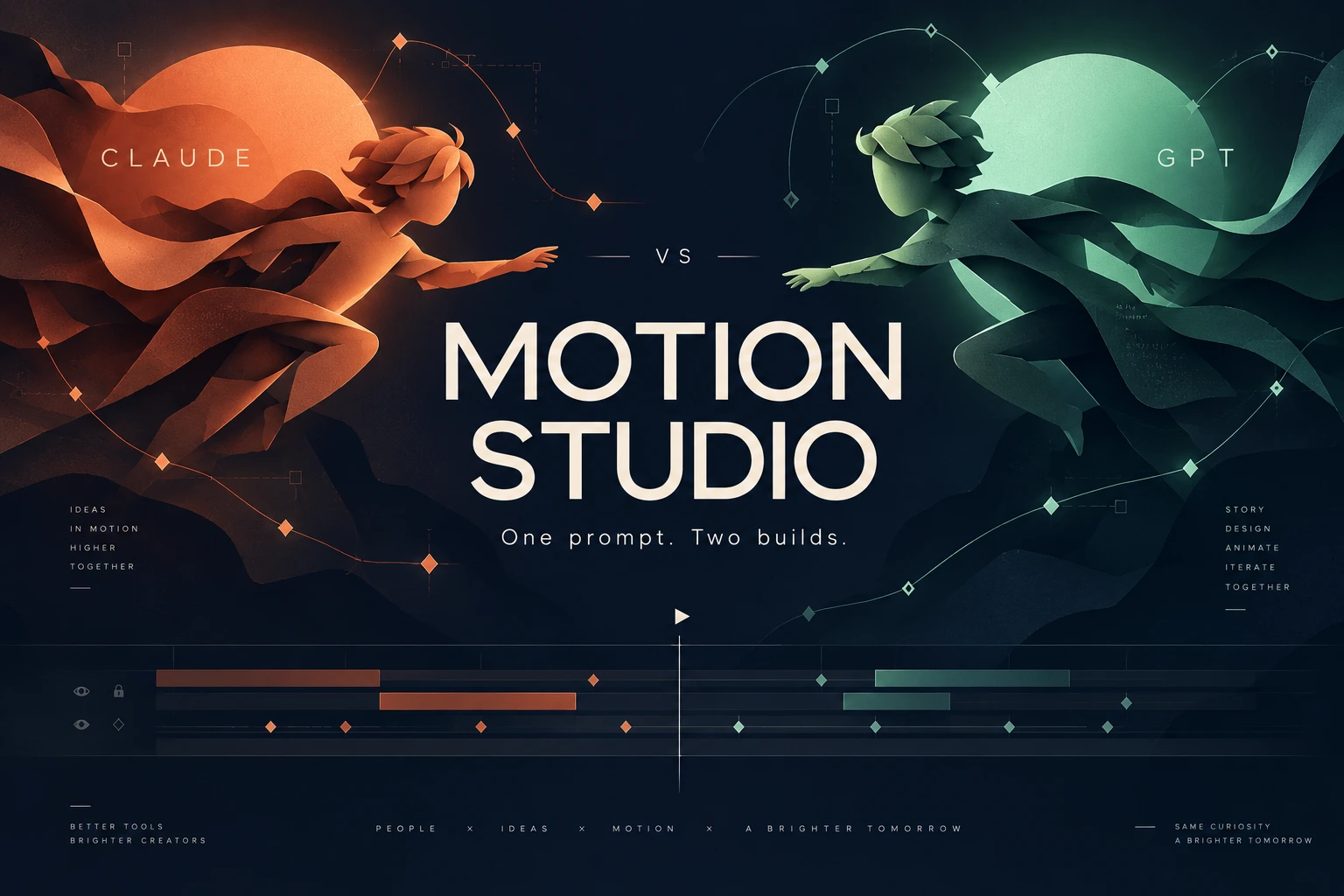
The first challenge was building a motion-design editor. The harder challenge turned out to be making a cartoon version of me look, move and sound convincing. One shared prompt became two local apps, a collection of films, some useful animation tools — and a very practical lesson in what passing tests cannot tell you.
SVG drawings → attachments → poses & tracks → exported scenes
Imported performances → specialised rigs → motion tools → later studies
A shared brief, then two separate builds
The starting point was the prompt shown below, in a research-note image crediting Nate Parrott. I used it with Claude Opus 5.5 and GPT / Sol 6.1, then directed the development, tested the tools and kept asking both builds to make more ambitious animations.
The brief was refreshingly specific: build the editor itself. Open an empty project, import assets, arrange layers, add keyframes, undo changes, save the work and export an MP4 only when asked. Editing should work locally and offline. Preview and export should share one deterministic renderer, so scrubbing to a timestamp and exporting that frame produce the same composition.
The suggested stack was Vite, React, TypeScript, Express, Zustand and zod, with Playwright driving headless Chromium into FFmpeg for export. Crisp text and graphics at the target resolution, preserved original assets and real verification were part of the brief. Spring easing, stagger and cursor animation came after the core editor worked.
Then I used the tools. A small test became a film about my website, which became character scenes, dialogue and a much longer list of things the editor needed to do. Audio, rigs and character acting went beyond the original first-version scope.
This account combines the saved projects and earlier inspection with retrospectives supplied by Claude and GPT. Their session reports are attributed where appropriate; I have not rerun their development test suites for this article. Follow-up work and intervention differed, so the films are a record of the experiment rather than an equal-budget benchmark.
View the original prompt · Nate Parrott credit

Claude: make a film, find a gap, add a tool
Claude’s account begins with the editor: timeline, keyframes, easing, presets, a cursor layer and MP4 export. Its initial reported checks were 47 unit tests and 27 browser tests. Next came a test piece, a film about my site and Dev of the North — a Rick and Morty-style ambition featuring me and an anxious whippet, with ElevenLabs voices.
Each film exposed another limitation. Parenting let an arm carry a forearm and a hand. A camera made close-ups possible. Swappable drawings gave the face different mouth shapes and views. Audio, lip-sync, loops and two-bone inverse kinematics arrived as the scenes demanded them. Instead of treating a feature list as the finish line, we used the films to decide what needed building next.
The route stayed close to the drawings. In the actual UI below, separate layers expose the rain, scenery, captions, lighting and character parts. SVG artwork became a hierarchy of attached pieces; those pieces could become a character with a pose library, cycles, additive tracks and different views. Replacing thousands of sampled angles with about 20 pose keyframes made the animation much easier to edit, according to Claude’s account.
The cast was subsequently redrawn: Louis in three views with free arms, a hand library and a mouth chart, plus two new sets. Word-driven mouths, layered eyes, follow-through and depth effects pushed the work further. The same pure renderer remained the foundation: a frame depended on the project and time rather than whatever had played before it. The implementation sends raw export frames to FFmpeg through a local WebSocket.
The tests caught practical faults. Claude reports that one browser check found the properties panel silently failing to set new fields; another caught a draggable pivot stealing normal drags. But some problems were outside those checks. In its account, Claude says it judged motion from stills and never heard the audio. I caught my name being spoken as “Louie” rather than “Lewis”. I also had to point out an invisible neck, awkward hands and lines showing at the joints.
Several fixes took another attempt: the word-timing estimator was wrong twice before it matched the pauses, and early gestures put a hand over the face. The brief assumed Windows, but the work happened on a Mac that initially lacked Node and FFmpeg. A stale development server quietly removed new fields on save. The app was never tested on Windows.
There was a workflow catch too: the film was built by a script, so rebuilding it could overwrite hand edits made in the editor. The session finished at a usage limit before a final README update and a complete test run. Claude’s verdict was a working editor with studio-style rig structure, but drawing that still fell short of Rick and Morty or Family Guy quality.
The Claude additions, test figures and unfinished edges
Tools added in rounds
- Rig basics: parenting, squash and stretch, a scene camera, hold keyframes, swappable drawings, audio with lip-sync, looping and two-bone IK.
- Acting: word-timed mouth shapes, clipping masks, pupils that track a target and follow-through on loose parts.
- Characters: a pose library, cycles, additive tracks and views.
- Look: morphing vector lines, blend modes, blur, tint, glow and parallax depth.
- Workflow: layered-SVG import, onion skin, filmstrip export and a pop finder to help locate sudden changes.
- Handling: picking objects up and putting them down, plus walk and run cycles that move the character themselves.
What the numbers establish
- Claude reports growth from 74 tests to about 128: 91 unit and 37 browser tests. The last full combined run was at 123; final additions were tested individually. These are session-reported figures, not a freshly verified all-green total.
What remained unfinished
- The whippet still had one view and bounded rather than running. One voice take returned two lines fused together. Layered-SVG import had not been tried with a file from a real drawing program. The final full suite and README update remained outstanding.

Explore the screenshots · 4 images
Select any image to inspect it at full size.


GPT: build the mechanics, then confront the artwork
GPT started from the same empty-editor brief and built a reproducible local workflow. Projects retained editable data and original assets, and the preview and export shared a renderer. Louis and Patch then became practical test cases for recorded dialogue, talking mouths, expressions, gestures, camera cuts and comic timing. Earlier versions were kept, which became especially useful when a later direction was worse.
The interface grew into the workspace shown below: layers and assets on the left, the composition in the centre, an inspector on the right and a timeline underneath. Curve editing, diagnostics and onion skins offered more ways to inspect motion. The toolset expanded into rig building, reusable characters and poses, foot pins, prop contacts, facial controls, mouth drawings and follow-through.
An authoring API brought AI-created changes into the running editor as normal, editable and undoable work. That matters because the result could be inspected in the timeline instead of remaining an opaque generated video. The editor itself still ran locally; using AI to develop and author it did not mean every editing session needed AI calls.
Then my feedback exposed the gap between working mechanics and convincing artwork. Eyes sat too high. Shoulders disconnected. Hands were malformed. More controls did not repair those foundations: a curve editor could adjust movement timing, but it could not fix the construction of a shoulder.
The clearest failure was an attempted character rebuild. GPT generated a model sheet, then made a simplified vector character that did not adequately match it or preserve my likeness. I rejected it. GPT’s retrospective acknowledges that calling it a professional rebuild overstated the quality. The replacement worked as a rig and was still a worse creative result.
There was also a clash between detailed bitmap artwork and simpler vector body parts. The parts could move together technically while looking as though they belonged to different characters. Successful builds and tests had been given too much weight in progress reports: they could prove a feature functioned, but not that the character looked convincing or the scene reached the standard I wanted.
GPT’s account highlights useful verification around saving, asset integrity, undo, rendering consistency and exported audio timing. It also makes an important speech distinction: early scenes opened mouths from audio amplitude; later tools added timed mouth drawings and alignment import. Estimated transcript timings should not be presented as precise lip-sync. The retrospective was based on retrieved history and saved notes, without a fresh application or test run.
The GPT workflow and what it preserved
Useful foundations
- Editable project data and original assets survived reopening, rather than leaving only a flattened film.
- Character scenes revealed requirements that a feature checklist alone would have missed.
- Earlier versions were retained for comparison and recovery.
- Specific feedback about anatomy, likeness and movement supplied the creative judgement that technical checks could not.
The development sequence
- Build the local editor and shared renderer.
- Use Louis and Patch scenes to expose missing performance tools.
- Add rig, pose, contact, facial and motion controls, plus editor-based authoring commands.
- Review the visible problems in the artwork.
- Attempt a rebuild, reject the loss of likeness and acknowledge that the creative quality had gone backwards.

Explore the screenshots · 3 images
Select any image to inspect it at full size.


The films: same themes, different journeys
Here are three pairs: motion graphics, personal introductions and Dev of the North character scenes. Watch for timing, composition, expressions and movement. These are saved outputs from different stages of development, with different assets, durations and amounts of revision.
For the voices, I used ElevenLabs. I recorded my own voice and used it to voice myself; the other characters use randomly chosen voices. Claude describes swapping my cloned voice in as a single ID change. Getting a voice into the pipeline was easier than ensuring the pronunciation, delivery and timing sounded right.
The fair comparison is the initial result, what changed after my feedback and how much intervention each route needed. Final films alone do not capture that effort. The clean UI screenshots show the actual apps; the films let you judge the creative results for yourself.
Motion graphics
Personal introductions
Dev of the North
Keep building, keep making
The later GPT work includes Louis and Patch in An Afternoon Off, a tea-break performance and a short clean-rig acting test. These explore further changes to tools, artwork and movement. They are later studies, rather than direct equivalents to the earlier Claude exports. Preserving the different versions means a newer attempt does not erase the useful work that came before it.
The additional captures below also show Claude’s later workshop and staging scenes. They document later revisions beyond the first street export, while the GPT editor capture and contact sheet show how An Afternoon Off was assembled and reviewed. The galleries are development evidence, rather than a claim that every pictured revision is the same film shown above.
Explore the screenshots · 4 images
Select any image to inspect it at full size.


A better shoulder beats another feature
Both accounts reach a similar point: animation quality starts with a character that holds together. Claude describes drawing by typed coordinates as the ceiling and argues for an illustrator’s layered file. GPT describes losing the likeness while simplifying the artwork. Neither problem is solved just by adding more controls.
Claude’s reported improvements came from clean separation of outlines and colour, ways to inspect the character, word-driven mouth shapes held for at least two frames and leading the sound by one, layered eyes, restrained head movement with follow-through, reusable poses and views, then parallax, soft backgrounds and scene lighting. Those are useful lessons from that run, rather than universal timing rules.
GPT’s proposed better sequence puts visual approval before longer production. It gives a sensible next route for either app:
- Establish one consistent character design: likeness, proportions, line weight, colours and hand shapes.
- Review a fully assembled still pose at full size before animating it.
- Place eyes, brows and mouths against the actual artwork for each view.
- Keep shoulders, elbows and wrists connected throughout movement.
- Prepare replacement drawings for turns, difficult gestures and extreme expressions.
- Make a short acting test: turn, blink, speak, gesture and settle. Review individual frames and playback.
- Expand into longer scenes once that foundation meets the visual standard.
Explore the screenshots · 2 images
Select any image to inspect it at full size.


Two useful tools. No automatic animator.
The experiment produced two working local creative tools and animations I can reopen and improve. Claude developed a scene through layers, attachments, poses and increasingly detailed acting controls. GPT developed character performances into specialised rig and motion workflows. Both made rapid progress on the mechanics, and both needed my feedback to confront the quality of the result.
The tests mattered: they found silent editor faults, checked data survived saving and reopening, and helped keep exported output consistent. They did not tell us whether a hand looked natural, whether the character still looked like me or whether a joke landed. Watching, listening and revising remained part of the job.
The strongest lesson was to use smaller visual checkpoints. Approve the character, then a still pose, then a short performance, before adding another long scene or another impressive feature. A technically working replacement can still be a step backwards.
I am not awarding a winner or pretending we reached studio-quality drawing. The interesting result is how two builds responded to real use — what each made easier, what broke, what improved and where the remaining gap was artwork and judgement. That is the part I want to keep exploring.